A smartphone that feels warm during use is not always a problem. Charging, gaming, video calls, navigation and hot weather can all raise a phone’s temperature. But if your phone becomes uncomfortably hot, displays a temperature warning, slows down, or shuts itself down, it is time to take action.
This guide explains the common causes of phone overheating and safe steps you can try before arranging professional inspection.
Why does your phone overheat?
- Heavy apps and gaming: High graphics, video editing and long gaming sessions keep the processor working hard.
- Charging in a warm place: Fast charging naturally creates heat; direct sunlight or a poorly ventilated surface makes it worse.
- Background activity: Apps syncing, updating or using location services can consume power when you are not actively using the phone.
- Weak mobile signal: A phone may use more power searching for a reliable network.
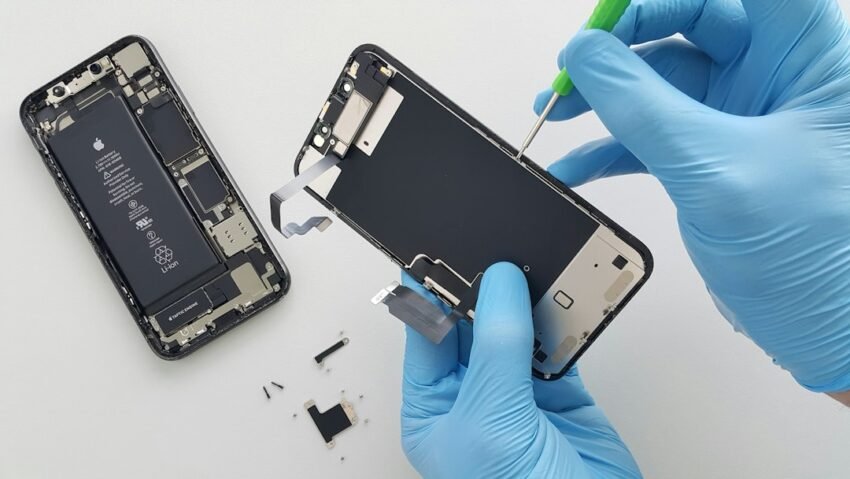
- Battery or hardware issues: An ageing or damaged battery, faulty charging accessory, or internal component problem can cause abnormal heating.
- Environmental heat: Hot cars, direct sun and high ambient temperatures can push a device beyond its normal operating range.
How to cool down an overheating phone safely
1. Stop demanding tasks
Pause games, video recording, navigation or other intensive apps. If the phone is extremely hot or shows a temperature warning, stop using it and follow the on-screen instructions.
2. Disconnect the charger
If the phone is heating while charging, unplug it. Let it cool naturally before charging again. Do not continue charging a device that is unusually hot, swollen or giving off an unusual smell.
3. Move it out of direct sunlight
Place the phone in a shaded, dry, well-ventilated area at normal room temperature. Remove a thick case if it traps heat and the device is safe to handle.
4. Close apps that are using excessive power
Check your battery settings for apps with unusually high usage. Close or update problematic apps, and restart the phone once it has cooled down.
5. Use a reliable charger and cable
Choose a manufacturer-approved or reputable compatible charger. Damaged cables, loose connectors and low-quality accessories can create charging problems. Stop using any accessory that becomes unusually hot or shows visible damage.
6. Update your software
Install available operating-system and app updates when the phone is cool and has sufficient battery. Updates may fix bugs that cause excessive background activity.
7. Check battery health
On supported devices, review battery health or diagnostics in Settings. Rapid battery drain, unexpected shutdowns, swelling or repeated overheating warrant professional assessment.
When should you get professional repair?
Seek qualified service if the phone repeatedly overheats during light use, becomes hot while idle, shuts down unexpectedly, has a damaged charging port, or shows signs of battery swelling. If the battery is swollen, do not press, puncture or attempt to remove it. Stop charging and keep the device away from flammable materials while arranging safe service.
Never put a hot phone in a refrigerator or freezer, immerse it in water, or use ice to cool it. Sudden temperature changes can cause condensation and damage internal components.
Phone overheating: quick checklist
- Stop intensive apps and disconnect charging if the device is very hot.
- Move it to shade and let it cool naturally.
- Check battery usage and update apps/software.
- Use a safe, compatible charger and cable.
- Arrange professional inspection for repeated or abnormal heating.
Frequently asked questions
Is it normal for a phone to get warm while charging?
Some warmth is normal, especially during fast charging. Excessive heat, warnings, swelling or repeated interruptions are not normal and should be investigated.
Can hot weather make my phone overheat?
Yes. Direct sunlight and high ambient temperatures reduce the phone’s ability to release heat. Keep it shaded and avoid leaving it in a parked car.
Should I use a cooling app?
Be cautious with apps that promise to physically cool hardware. They cannot repair a battery or remove environmental heat. Built-in battery settings and identifying power-hungry apps are more useful.
Can overheating damage the battery?
Repeated exposure to excessive heat can accelerate battery ageing. If overheating is persistent, identify the cause rather than continuing to use the phone as usual.
Safety note: This article provides general troubleshooting information. If your device is swollen, damaged or dangerously hot, stop using it and seek qualified repair assistance.
1 thought on “Phone Overheating? 7 Safe Ways to Cool It Down”