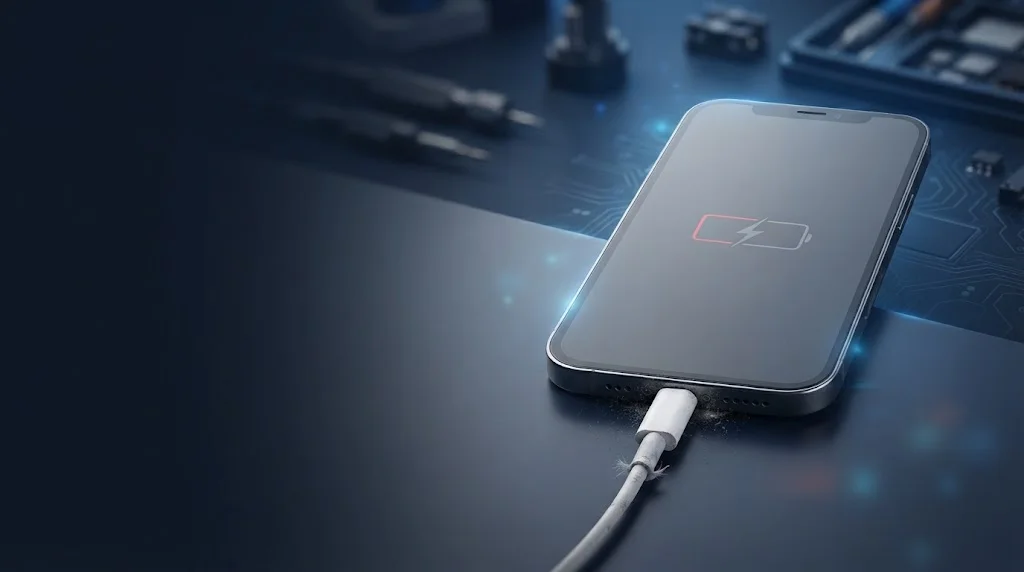
Few things are more frustrating than plugging in your iPhone, expecting it to charge, and seeing nothing happen. An iPhone not charging is one of the most common problems users face, and it can stem from something as simple as a worn cable or as serious as a damaged charging port or failing battery.
The good news is that many charging issues can be resolved at home with a few careful steps. In this guide, we’ll walk through the 10 most likely causes, explain how to troubleshoot each one safely, and help you recognise when it’s time to seek professional help. Whether your iPhone won’t charge at all, charges slowly, or only charges at certain angles, you’ll find practical answers here.
Quick Checks Before Troubleshooting
Before diving into specific causes, start with these simple checks. They take only a few minutes and can save you a lot of time.
- Try a different cable. Use a known working Apple-certified (MFi) cable.
- Try a different power adapter. Swap in another adapter or plug into a different USB port.
- Try a different power source. Test a wall outlet you know works, or a different computer USB port.
- Check for debris. Look inside the charging port with a torch. If you see lint or dust, that could be the culprit.
- Restart your iPhone. A quick restart resolves many temporary software glitches.
- Check for overheating. If your iPhone is hot, let it cool down before charging.
If none of these quick checks solve the problem, work through the causes below in order.
10 Common Causes of iPhone Charging Problems
1. Damaged Charging Cable
What causes it: Lightning cables endure constant bending, pulling, and coiling. Over time, the internal wires can fray or break, especially near the connector. Cheap, non-certified cables are even more prone to failure.
Common symptoms:
- iPhone charges only when the cable is held at a certain angle.
- Charging starts and stops intermittently.
- No charging at all, even though the cable looks fine externally.
What you can try:
- Inspect the cable for visible damage, kinks, or exposed wires.
- Test with a different MFi-certified cable.
- Avoid cheap third-party cables that don’t carry Apple certification.
When to seek repair: If a new, certified cable works perfectly, the cable was the issue. If the problem persists with multiple cables, the fault lies elsewhere.
2. Faulty Power Adapter
What causes it: Power adapters can fail internally due to age, power surges, or manufacturing defects. Even genuine Apple adapters can stop delivering consistent power over time.
Common symptoms:
- iPhone doesn’t charge with one adapter but charges with another.
- Adapter feels unusually hot during use.
- No charging indicator at all.
What you can try:
- Test your iPhone with a different adapter.
- Try charging another device with the suspect adapter to confirm whether it’s faulty.
- Use a reputable adapter that matches your iPhone’s charging requirements.
When to seek repair: If multiple adapters fail to charge your iPhone, the problem is likely with the phone itself, not the adapter.
3. Dirty Charging Port
What causes it: Pocket lint, dust, and debris accumulate inside the Lightning port. This prevents the cable from seating properly and blocks the electrical contacts.
Common symptoms:
- Cable feels loose or doesn’t click into place.
- Charging works only when you wiggle the cable.
- Intermittent charging.
What you can try:
- Power off your iPhone first.
- Use a wooden toothpick or a soft, dry brush to gently remove visible debris.
- Never use metal objects, compressed air at high pressure, or liquids inside the port.
- If you’re unsure, have a professional clean the port.
When to seek repair: If cleaning doesn’t help or you can see deep-seated debris you can’t safely remove, professional cleaning is the safest option.
4. Damaged Charging Port
What causes it: The charging port can be damaged by forceful cable insertion, bent pins, corrosion from moisture, or general wear. Once the internal pins are bent or broken, charging becomes unreliable or impossible.
Common symptoms:
- Cable fits loosely or won’t stay in.
- Visible damage or bent pins inside the port.
- Charging only works at specific angles.
- No charging at all despite trying multiple cables and adapters.
What you can try:
- Inspect the port with a torch for bent pins or corrosion.
- Do not attempt to bend pins back yourself, as this can cause further damage.
When to seek repair: A damaged charging port almost always requires professional repair. Attempting DIY fixes can worsen the damage and affect other components.
5. Overheating
What causes it: iPhones have built-in thermal protection. If the device gets too hot, it may stop charging to prevent damage to the battery and internal components. Overheating can be caused by heavy use during charging, direct sunlight, or a case that traps heat.
Common symptoms:
- iPhone charges slowly or stops charging when warm.
- Device feels hot to the touch.
- A temperature warning appears on screen.
What you can try:
- Remove the case and let the iPhone cool in a shaded, well-ventilated area.
- Avoid using the phone heavily while charging.
- Don’t charge in direct sunlight or in a hot car.
When to seek repair: If your iPhone overheats frequently even during normal use, there may be an internal issue that needs diagnosis.
6. Software or iOS Issue
What causes it: Occasionally, a software glitch prevents the iPhone from recognising the charger. This can happen after an iOS update, a corrupted setting, or a temporary system error.
Common symptoms:
- iPhone doesn’t respond when plugged in.
- Charging icon doesn’t appear.
- Issue started after a software update.
What you can try:
- Force restart your iPhone.
- Check for and install any available iOS updates.
- Try charging while the phone is powered off. If it charges when off, the issue is likely software-related.
- Reset settings if the problem persists (back up first).
When to seek repair: If software troubleshooting doesn’t help and the phone still won’t charge, the issue is likely hardware-related.
7. Battery Health or Battery Failure
What causes it: All batteries degrade over time. A worn battery may not hold a charge properly or may fail to accept a charge at all. In some cases, a swollen battery can also interfere with charging.
Common symptoms:
- Battery drains unusually fast.
- iPhone shuts down unexpectedly.
- Charging percentage jumps or gets stuck.
- Battery health shows “Service” in Settings.
What you can try:
- Check battery health in Settings > Battery > Battery Health & Charging.
- If it shows “Service Recommended,” the battery likely needs replacement.
When to seek repair: Battery replacement is a professional job. Do not attempt to open your iPhone or puncture the battery, as this is dangerous.
8. Moisture or Liquid Detection
What causes it: If liquid enters the charging port, your iPhone may display a liquid detection warning and refuse to charge. Charging a wet port can cause corrosion or electrical damage.
Common symptoms:
- “Liquid Detected in Lightning Connector” warning.
- iPhone won’t charge despite being dry on the outside.
What you can try:
- Do not plug in a charging cable while the port is wet.
- Gently tap the iPhone with the port facing down to remove excess liquid.
- Let it air dry in a well-ventilated area for several hours.
- Do not use heat, compressed air, or rice.
When to seek repair: If the warning persists after drying, or if the phone was exposed to saltwater or other liquids, professional inspection is recommended.
9. Wireless Charging Problems
What causes it: Wireless charging issues can be caused by a misaligned phone, a thick case, a faulty wireless charger, or interference from metal objects.
Common symptoms:
- iPhone doesn’t charge on a wireless pad.
- Charging is slow or intermittent.
- Phone gets warm during wireless charging.
What you can try:
- Remove the case and any metal accessories.
- Reposition the iPhone on the charger.
- Try a different wireless charger.
- Ensure the charger is plugged into a working power source.
When to seek repair: If wireless charging fails consistently while wired charging works, the wireless charging coil may be damaged.
10. Internal Hardware Problems
What causes it: Beyond the charging port and battery, other internal components can fail. These include the charging IC (integrated circuit), logic board issues, or damaged connectors. These problems often develop after liquid exposure, drops, or power surges.
Common symptoms:
- No charging with any cable, adapter, or power source.
- iPhone not recognised by a computer.
- Other functions also affected (speaker, microphone, buttons).
What you can try:
- Confirm the issue isn’t caused by a cable, adapter, or port problem first.
- Back up your data if possible.
When to seek repair: Internal hardware issues require professional diagnosis and repair. Do not attempt motherboard-level repairs yourself.
Step-by-Step Troubleshooting Checklist
Follow this checklist in order for the best chance of solving your charging problem:
- Try a different MFi-certified cable.
- Try a different power adapter.
- Try a different wall outlet or USB port.
- Inspect and gently clean the charging port.
- Restart your iPhone.
- Check for iOS updates.
- Try charging while the phone is powered off.
- Check battery health in Settings.
- Test wireless charging if available.
- If nothing works, seek professional diagnosis.
When Professional Repair Is Needed
Some charging problems are safe to troubleshoot at home. Others clearly require expert attention. Seek professional repair if:
- You’ve tried multiple certified cables and adapters with no success.
- The charging port is visibly damaged or loose.
- Your iPhone shows a liquid detection warning that won’t clear.
- The battery health shows “Service” or the battery is swollen.
- The phone overheats during charging or won’t charge at all.
- The device isn’t recognised by a computer.
- You notice any burning smell, smoke, or severe heat.
Continuing to use a device with these symptoms can lead to further damage or safety risks. Professional diagnosis is the safest and most reliable option.
iPhone Charging Issues in Abu Dhabi and the UAE
If you’re based in Abu Dhabi or elsewhere in the UAE, you have several options for getting your iPhone repaired. Local repair shops can diagnose charging problems quickly and often carry genuine or high-quality replacement parts.
When searching for iPhone repair Abu Dhabi services, look for a provider that:
- Offers transparent diagnostics and pricing.
- Uses quality replacement parts.
- Can handle both minor fixes (like port cleaning) and complex repairs (like charging IC replacement).
- Provides a warranty on repairs.
For issues like iPhone charging port repair Abu Dhabi or iPhone battery replacement Abu Dhabi, choosing an experienced technician ensures the job is done safely and correctly. The humid climate in the UAE can also contribute to port corrosion, making professional cleaning and repair especially relevant for local users.
Getting Professional Help for Your iPhone
If your iPhone still won’t charge after trying these troubleshooting steps, the problem may involve the charging port, battery, or another internal component. In that situation, professional iPhone repair in Abu Dhabi can help identify the exact cause and get your device working again safely.
JustFix UAE provides expert diagnosis and repair for iPhone charging issues, including port repairs, battery replacement, and internal hardware fixes. Their technicians can assess your device and recommend the right solution without unnecessary repairs.
FAQ
Why is my iPhone not charging even though it’s plugged in?
This usually points to a cable, adapter, or port issue. Try a different certified cable and adapter first. If that doesn’t work, inspect the charging port for debris or damage. If the problem persists, the fault may be internal.
How do I clean my iPhone charging port safely?
Power off the phone first. Use a wooden toothpick or soft dry brush to gently remove visible lint. Never use metal objects, liquids, or high-pressure air. If you’re unsure, let a professional clean it.
Can a software update fix iPhone charging problems?
Sometimes. If the issue started after an update or is caused by a temporary glitch, restarting or updating iOS may help. However, most charging problems are hardware-related.
How do I know if my iPhone battery needs replacing?
Go to Settings > Battery > Battery Health & Charging. If it shows “Service Recommended” or the maximum capacity is significantly reduced, the battery likely needs replacement.
What should I do if my iPhone got wet and won’t charge?
Do not plug in a charging cable while the port is wet. Tap out excess liquid, let the phone air dry for several hours, and wait for any liquid warning to clear. If the problem continues, seek professional inspection.
Is it safe to use a cheap third-party charger?
Cheap, uncertified chargers can damage your iPhone’s battery and charging circuitry. Always use MFi-certified cables and reputable adapters.
Can a damaged charging port be repaired, or does it need replacement?
In most cases, a damaged charging port can be repaired or replaced by a professional. The cost and approach depend on the extent of the damage.
How long does iPhone charging port repair take?
Minor repairs like port cleaning can be done quickly, often the same day. More complex repairs may take longer depending on parts availability and the specific issue.
Conclusion
An iPhone not charging can be caused by something as simple as a dirty port or as complex as a failing internal component. By working through the causes and troubleshooting steps in this guide, you can identify many common problems and fix them safely.
Remember: never force a cable, never use metal objects inside the port, and never charge a wet or severely overheating iPhone. If basic troubleshooting doesn’t resolve the issue, professional repair is the safest and most effective next step.
For expert diagnosis and repair of iPhone charging issues in Abu Dhabi, trust a qualified technician to get your device back to full working order.