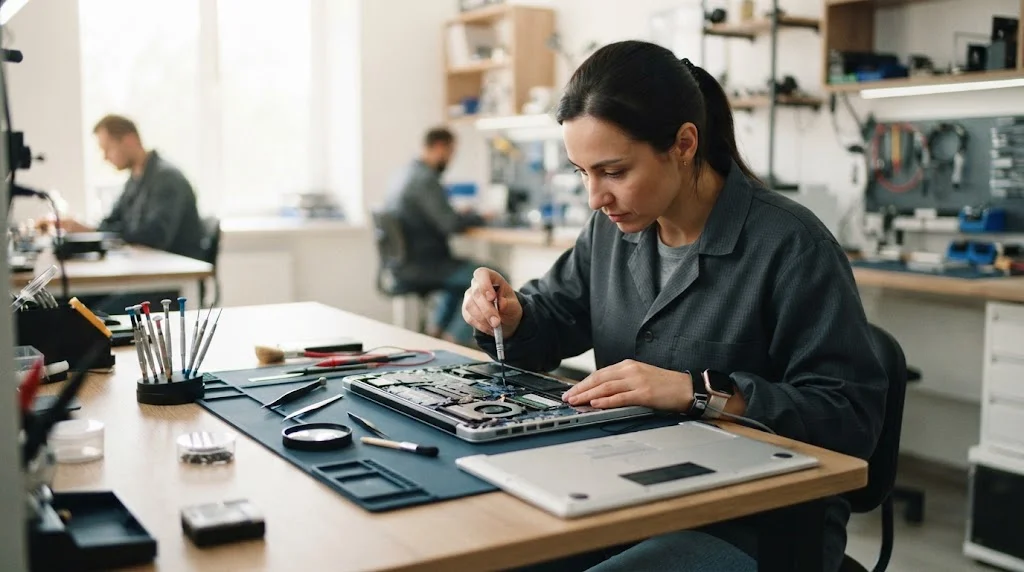
If your laptop has started freezing, shutting down, or refusing to charge, you are probably searching for laptop repair Abu Dhabi options right now. Before you hand it over, it helps to understand what is likely wrong, what you can safely check yourself, and what a fair repair process looks like.
This guide covers the most common laptop faults, how to tell hardware from software trouble, what to try before booking a repair, how to choose a service, what drives repair costs, and when replacing the laptop makes more sense.
What Is Laptop Repair Abu Dhabi and When Do You Need It?
Laptop repair in Abu Dhabi covers diagnosing and fixing faults in laptops, whether the cause is physical (a cracked screen, a failing battery, a dead fan) or software-related (a corrupted Windows install, malware, driver conflicts).
You generally need professional help when:
- The problem comes back after you have tried basic fixes.
- The laptop has been dropped, or liquid has been spilled on it.
- You hear grinding, clicking, or buzzing from inside the machine.
- The laptop shuts down on its own or won’t start at all.
- You would have to open the case to fix it.
Local conditions matter too. Heat and fine dust are hard on laptops in the UAE. Fans clog, thermal paste dries out, and batteries age faster when a laptop is left in a hot car or used on soft surfaces that block airflow. Many overheating and shutdown complaints trace back to this.
10 Common Laptop Problems That May Need Repair
1. Laptop Running Slowly
A slow laptop is usually caused by too many startup programs, a nearly full drive, malware, or an old mechanical hard drive. Often it is fixable without any new parts. If a laptop is still slow after a clean-up, the drive or memory may be the bottleneck, and an SSD upgrade often makes a noticeable difference on older machines.
2. Laptop Overheating
Signs include loud fan noise, a hot base, sudden slowdowns, and unexpected shutdowns. Common causes are dust-blocked vents, a failing fan, and old thermal paste. Cleaning the fan and vents and reapplying thermal paste is a routine job for a technician.
3. Laptop Not Turning On
This can come from a dead battery, a faulty charger, a failed power connector, a motherboard fault, or a corrupted system. Do a few simple checks first (covered below). If nothing works, the issue likely needs component-level diagnosis.
4. Battery Draining Quickly
All batteries wear out. If yours lasts a fraction of what it once did, or the laptop dies at 30%, laptop battery replacement is usually the fix. Check first that a heavy background app isn’t draining it.
5. Broken or Flickering Screen
Cracks, lines, dead patches, and flickering may point to a damaged panel, a loose or worn display cable, or a graphics fault. Laptop screen repair depends on the model, since some panels are easy to source and others are not. A quick test is to plug in an external monitor. If the external display looks fine, the laptop’s own screen or cable is the likely culprit.
6. Keyboard or Touchpad Problems
Unresponsive keys are often caused by dirt, spilled liquid, or a loose connection. A single dead key may be repairable on its own, but a spill can damage more than the keyboard. If the touchpad stopped working, check for a disabled setting before assuming hardware failure.
7. Charging Problems
If the laptop won’t charge, the cause could be the adapter, the cable, the charging port, or the battery. Try a known-good compatible charger if you have access to one. A loose or wobbly charging port often needs repair, because continued use can damage the board.
8. Hard Drive or SSD Issues
Warning signs include very long boot times, freezing while opening files, corrupted data, and clicking sounds from a mechanical drive. If you suspect a failing drive, back up your data immediately and avoid heavy use. A failing drive can get worse quickly.
9. Windows and Software Errors
Blue screens, update failures, crashing apps, and endless restart loops are common laptop software issues. Many can be fixed with a repair install, driver updates, or a clean reinstall of Windows, without any hardware replacement.
10. Wi-Fi or Connectivity Problems
Before blaming the laptop, check whether other devices connect to the same network. If only the laptop struggles, the cause may be a driver problem, a disabled adapter, or a faulty Wi-Fi card. Bluetooth issues are often related.
How to Know Whether Your Laptop Needs Repair
Some problems are one-off glitches. Others are signs of a deeper fault. Consider repair if:
- The same problem keeps returning after a restart or reinstall.
- The issue is getting worse over time.
- You notice physical symptoms: swelling battery, burning smell, heat that is unusual for the model, or visible damage.
- The laptop was dropped or got wet.
A swollen battery is a safety issue. Stop using and charging the laptop and have the battery replaced promptly.
Laptop Hardware vs Software Problems
Knowing the difference saves time and money.
Hardware problems involve a physical part: screen, battery, fan, keyboard, charging port, drive, memory, or motherboard. They usually need a replacement part or a bench repair.
Software problems involve the operating system, drivers, settings, or malware. They often get fixed without new parts.
Some quick indicators:
- Likely hardware: physical damage, strange noises, no power, lines on the screen, issues that appear in the BIOS or at startup before Windows loads.
- Likely software: problems that appear only in certain apps, slowdowns after an update, pop-ups, or errors after installing something new.
A good technician will test both before recommending any part.
What to Check Before Taking Your Laptop for Repair
These steps are safe for most users and sometimes solve the problem outright:
- Back up important files if the laptop still starts. Use an external drive or cloud storage.
- Try a different power outlet and check the adapter and cable for damage.
- Remove everything connected (USB devices, docks, external drives) and restart.
- Do a hard reset: unplug the charger, hold the power button for about 15 to 30 seconds, then reconnect and try again. For laptops with removable batteries, take the battery out first.
- Look at the vents. If they are clogged with dust, a gentle clean with compressed air may help. Don’t open the case unless you know what you’re doing.
- Restart in Safe Mode to see whether the issue is caused by software or drivers.
- Check storage space. A nearly full drive can cause severe slowdowns.
- Run a malware scan with trusted security software.
- Note any error messages. Photograph or write them down. They help the technician diagnose faster.
If liquid has been spilled, switch the laptop off immediately and don’t try to turn it on to “test” it. Power running through a wet board can cause further damage.
How to Choose a Reliable Laptop Repair Service in Abu Dhabi
Choosing the right provider matters as much as the repair itself. When comparing laptop repair services in Abu Dhabi, look at the following.
Experience with your brand. Ask whether the technician regularly works on your brand and model. Some machines are much harder to open and repair than others.
A clear diagnosis process. A good service explains what is wrong, how they tested it, and what the options are. Be cautious of anyone who recommends a major part replacement without testing.
Repair quality and parts. Ask whether replacement parts are genuine or compatible, and what the difference means for performance and lifespan. Honest providers explain the trade-offs.
Warranty. Ask whether the repair or replaced part is covered, for how long, and what is excluded. Get this in writing.
Transparent pricing. You should know the diagnostic fee (if any), the estimated repair cost, and whether the price may change before work begins. Approval should come from you.
Data privacy. Your laptop holds personal and work data. Ask how the service handles access to your files, and back up beforehand where possible.
Customer reviews. Read recent reviews on independent platforms, and look for detail rather than only star ratings. Consistent comments about honesty and communication are a better sign than generic praise.
Pickup and delivery. Some providers offer doorstep pickup or on-site service, which is useful if you can’t travel across the city. Confirm what the service includes and whether it costs extra.
Whether you live on the island, in the city centre, or farther out, convenience is worth weighing, but it shouldn’t outweigh transparency and quality.
How Much Does Laptop Repair Cost in Abu Dhabi?
Prices vary too much to quote a single figure, and anyone who gives an exact price without seeing the laptop is guessing. These are the main factors that influence what you will pay for laptop repair in Abu Dhabi:
- Type of problem. A software reinstall costs differently from a motherboard repair.
- Brand and model. Parts for some laptops are easier to find than for others, and thin or sealed designs can take longer to service.
- Replacement parts. Screens, batteries, and drives each have their own cost, and availability affects both price and turnaround.
- More complex or time-consuming repairs cost more.
- Damage severity. Liquid damage or a drop can affect several parts at once.
- Original vs compatible components. Original parts usually cost more. Quality compatible parts can be a reasonable alternative for some repairs.
Ask for a written estimate after diagnosis and confirm that no extra work will be done without your agreement.
When Should You Repair or Replace Your Laptop?
Repair usually makes sense when the fault is limited and the laptop is otherwise performing well. Replacement may be better when repair costs approach the value of the machine or it can no longer meet your needs.
| Situation | Usually Better to Repair | Usually Better to Replace |
| Age | Under about 4 to 5 years, still capable | Much older, struggling with everyday tasks |
| Problem | Battery, screen, keyboard, SSD, RAM upgrade | Multiple failures, or motherboard-level damage |
| Cost | Repair is a small fraction of replacement cost | Repair cost is close to a new laptop |
| Performance | Fine apart from the fault | Too slow even after upgrades |
| Support | Parts and drivers still available | Parts scarce or no longer supported |
Upgrades such as extra memory or an SSD can extend the life of an older laptop at modest cost, provided the model allows it. A technician can tell you whether an upgrade is worthwhile.
Frequently Asked Questions
How do I find reliable laptop repair in Abu Dhabi?
Look for a provider that explains its diagnosis clearly, gives a written estimate, offers a warranty on repairs, and has consistent recent reviews from real customers. Avoid anyone who pressures you into a quick decision.
How long does laptop repair take?
It depends on the fault and parts availability. Software fixes can sometimes be completed the same day, while repairs that need ordered parts take longer. Ask for an estimated timeframe at the start.
Is it worth repairing an old laptop?
Often yes, if the problem is a single component such as a battery or drive and the laptop still meets your needs. If the repair would cost close to a new machine, or the laptop is already too slow, replacement may be wiser.
Can my data be recovered if the laptop won’t turn on?
Often it can, because your files are stored on the drive, not the part that has failed. Do not keep trying to power it on repeatedly, and tell the technician that your data matters before any repair begins.
Why does my laptop overheat so quickly?
Common causes are dust in the fan and vents, dried thermal paste, a failing fan, heavy background processes, or using the laptop on soft surfaces. In a hot climate, these issues show up faster, so regular cleaning helps.
Should I replace the laptop battery or buy a new laptop?
If the laptop is otherwise working well, laptop battery replacement is usually the more economical choice. Consider replacing the laptop only if it is also slow, damaged, or no longer supported.
Do laptop technicians in Abu Dhabi offer pickup and delivery?
Some do, but it varies by provider. Confirm availability, any extra charges, and how your laptop is handled and tracked during transport before agreeing.
Conclusion
Most laptop problems have a clear cause, and many can be fixed without replacing the whole machine. Start with the safe checks above, back up your data, and note any symptoms or error messages. If the problem persists, choose laptop repair Abu Dhabi services that diagnose honestly, explain their parts and pricing, and stand behind their work.
A good next step is to describe your laptop’s symptoms to a few providers and compare how clearly they respond. The one that explains the problem and the options without pressure is usually the one worth trusting.
1 thought on “Laptop Repair Abu Dhabi: 10 Common Problems and Essential Fixes”