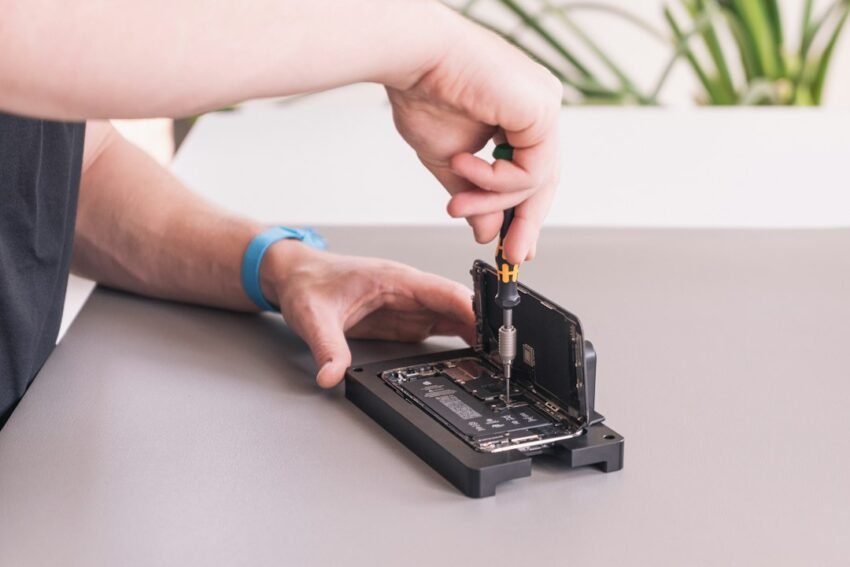
Is your iPhone 18 Pro overheating? A phone becoming slightly warm during demanding tasks can be normal, but repeated heat, a temperature warning, charging interruptions or sudden performance changes deserve attention. This guide explains the common reasons an iPhone can get hot, safe checks you can try at home, and when to arrange a professional inspection in Abu Dhabi.
Important: This is a practical troubleshooting guide, not a claim that every iPhone 18 Pro has a known hardware defect. Heat can come from workload, charging conditions, software activity, the surrounding environment or a component problem. Diagnose the symptom before assuming the battery or phone is faulty.
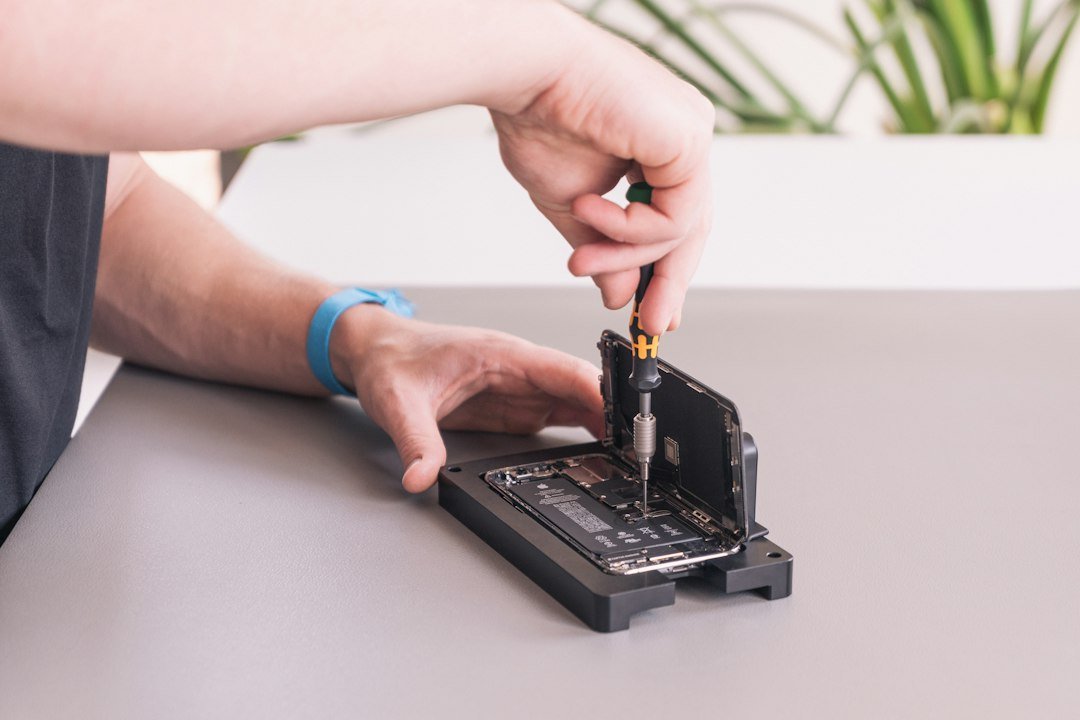
Quick answer: what should you do first?
If your iPhone 18 Pro feels unusually hot, stop demanding tasks, disconnect the charger if it is safe to do so, move the phone out of direct sunlight and let it cool naturally in a shaded, ventilated place. Do not put it in a fridge or freezer, cover it with ice, or use water to cool it. If an on-screen temperature warning appears, follow the warning and wait until the device returns to a normal temperature before using it again.
- Remove the phone from a hot car, dashboard or direct sunlight.
- Pause gaming, navigation, video recording and other heavy tasks.
- Disconnect charging accessories if the phone is getting excessively hot.
- Check Settings > Battery for apps using unusually high power.
- Let recent setup, restore or software-update activity finish.
- Arrange a professional check if heat continues during light use or happens with other symptoms.
Table of contents
- Normal warmth vs. overheating
- Nine possible causes
- Safe fixes to try
- Using an iPhone in Abu Dhabi and UAE heat
- When professional repair may be needed
- How to reduce future heat
- Frequently asked questions
Is it normal for an iPhone 18 Pro to get warm?
Yes. A smartphone generates heat when its processor, display, camera, wireless radios and battery are working. You may notice warmth during initial setup, restoring a backup, installing a major software update, wireless charging, long video calls, high-resolution video recording, navigation or graphics-intensive games. Apple explains that these activities can make an iPhone feel warmer and that the device should cool after the activity finishes.
Warmth by itself does not prove that the battery is damaged. Look at the context: does the warmth appear only during a demanding task and settle afterward, or does the phone become hot while sitting idle? Does charging pause? Does the display dim? Is there a temperature alert, unexpected shutdown or rapid battery drain? A repeated pattern is more useful than one brief warm episode.
Apple lists an ambient operating range of 0°C to 35°C for iPhone. In hotter surroundings, the device may adjust its behaviour to protect internal components. This is particularly relevant in the UAE, where a phone left in a parked car or exposed to direct sun can heat up quickly.
Nine possible causes of iPhone 18 Pro overheating
1. Direct sunlight and hot surroundings
Leaving a phone on a car dashboard, beside a sunny window or outdoors in direct sunlight can raise its temperature. A parked vehicle can become much hotter than the outside air. The phone may dim its display, slow or pause charging, restrict some features or show a temperature warning while it protects itself. In Abu Dhabi, avoid leaving your phone in a parked car, even for a short stop.
2. Heavy gaming and processor-intensive apps
Modern games, augmented-reality experiences, video editing and other demanding apps keep the processor and graphics hardware busy. Long sessions can make the rear of the phone feel warm, especially if the room is already hot. Reduce graphics settings where available, take breaks and avoid gaming while charging if the device becomes excessively warm.
3. Camera use and long video recording
Recording high-resolution video, using advanced camera features for an extended period or streaming a camera feed can create sustained workload. If the phone warms during a long recording session, stop recording and let it cool. If it repeatedly becomes excessively hot during short, ordinary camera use, note the conditions and seek an assessment.
4. Charging in a warm place
Charging naturally produces some heat. Charging on a bed, cushion, under a pillow or in direct sunlight can trap heat around the phone. Wireless charging can also make a device feel warmer than expected. Place it on a firm, ventilated surface, keep it away from sunlight and avoid covering it while charging.
5. A case that traps heat
Some thick or poorly ventilated cases can make heat feel more noticeable during charging or demanding use. If your phone regularly becomes hot during those activities, remove the case temporarily and compare. Do not use a case test as a substitute for repair if the device continues to overheat or shows a warning.
6. Background activity after an update or restore
After a software update, device setup or backup restoration, the phone may continue completing tasks in the background. Battery use and temperature can be higher for a while. Check the Battery section in Settings and allow the phone time to finish its work while it is in a cool environment. If abnormal heat continues for several days or appears with other symptoms, investigate further.
7. An app using excessive battery
A buggy app, continuous location activity, repeated background refresh or a stuck process can keep the phone busy. Open Settings > Battery and review which apps have used the most energy. Compare the usage with your actual screen time. Update the app, close a malfunctioning session and restart the phone if needed. Do not delete important data before checking whether it is backed up.
8. Weak signal or constant network searching
When cellular reception is poor, a phone may use more power maintaining a connection or searching for service. This can happen in underground parking, enclosed buildings or areas with weak coverage. If the phone heats up only in a particular location, compare its behaviour somewhere with a stronger signal. Avoid repeatedly switching network settings without a clear reason.
9. Battery, charging-port or internal hardware trouble
If heat occurs during light use, while idle, or whenever the phone is connected to a charger, a hardware issue may need investigation. Possible areas include battery condition, charging accessories, the charging port or another internal component. A swollen battery, unusual smell, smoke, crackling sound or a device that is too hot to handle is a safety concern: stop using and charging it, keep it away from flammable materials and arrange professional assistance. Do not press, puncture or attempt to open the battery.
How to fix iPhone 18 Pro overheating: nine safe checks
Try these checks in order. Stop if the phone displays a temperature warning or becomes dangerously hot. Never force the device to keep working while it is protecting itself.
Step 1: Move it to a cooler place
Take the phone out of direct sunlight and away from heaters, hot vehicles or other heat sources. Place it on a dry, firm surface in a shaded, ventilated room. Let it cool naturally. Do not use a refrigerator, freezer, ice pack, hair dryer or fan that blows very cold air directly onto a warm device; sudden temperature changes can create condensation or other problems.
Step 2: Pause demanding tasks
Stop games, video editing, long camera sessions, navigation and high-quality streaming. Lock the screen for a while. If you were using several demanding apps at once, close the active task and give the device time to settle.
Step 3: Disconnect charging if it is too hot
If the phone is excessively hot while charging, disconnect the cable or wireless charger if it is safe to do so. Let the device cool before trying again. Inspect the cable and adapter for visible damage and use accessories that meet the device manufacturer’s requirements. Never continue charging a phone that smells unusual, is swollen or shows signs of physical damage.
Step 4: Check Battery usage
Open Settings > Battery and review the app activity. Look for an app using a surprisingly large amount of battery compared with the time you used it. Update the app, review its background permissions and location access, or temporarily remove it if it is clearly malfunctioning. Menu labels can vary with software version.
Step 5: Restart the iPhone
Once the phone has cooled to a safe temperature, restart it normally. A restart can clear a temporary software process that is stuck. If the phone is showing a temperature warning, allow it to cool first rather than repeatedly trying to use it.
Step 6: Install available software updates
Check Settings > General > Software Update. If an update is available, install it when the phone is cool, has sufficient battery or is connected to a suitable power source in a cool place, and you have a current backup. Do not assume an update will fix every overheating issue; it is one troubleshooting step, not a guaranteed repair.
Step 7: Review location and background activity
Check which apps have access to Location Services and Background App Refresh. Change permissions only where they make sense for the app’s purpose. Navigation and delivery apps may need location access while in use, but an app that does not need continuous access may not need it. Keep essential services working and avoid disabling features blindly.
Step 8: Check battery health and charging behaviour
Open Settings > Battery and look for the battery health information available for your model and software version. Review any service recommendation or battery message. A battery percentage alone cannot diagnose overheating, but battery condition combined with rapid drain, unexpected shutdowns or charging problems can help a technician narrow down the cause.
Step 9: Test again under normal conditions
After the phone cools and you complete the checks, use it normally for a short period in a comfortable indoor environment. Avoid changing several settings at once; otherwise, it becomes difficult to identify what helped. Record when the heat returns, what app was active, whether the phone was charging and whether any warning appeared. This information is useful if you need a repair assessment.
iPhone overheating in Abu Dhabi and UAE weather
High outdoor temperatures make heat management especially important. A phone that works normally in an air-conditioned room may become much warmer when used for navigation in a sunlit car, left on a dashboard or charged outdoors. The cabin of a parked vehicle can become hotter than the surrounding air, so never leave an iPhone inside a parked car.
For safer everyday use in the UAE:
- Keep the phone out of direct sunlight when possible.
- Use a shaded, ventilated place for charging.
- Mount the phone where vehicle air conditioning does not blow extreme hot air onto it, and keep it away from direct sun.
- Take breaks during long navigation, gaming or video recording sessions.
- Do not leave the phone on a balcony, car seat or dashboard in the heat.
- If a temperature warning appears, stop using the device and allow it to cool naturally.
Apple’s guidance explains that high ambient temperatures can shorten battery lifespan and that charging may be slowed or paused when the device becomes too warm. Read Apple’s official iPhone temperature guidance for more detail.
What does an iPhone temperature warning mean?
A temperature warning means the internal temperature has exceeded the normal operating range. The phone may restrict use until it cools. Move it to a cooler place away from sunlight and wait. Charging may also pause automatically. Do not try to bypass the protection, keep launching apps or repeatedly connect and disconnect chargers to force it to work.
If the phone is too hot to handle, shows physical damage or has signs of a battery fault, treat it as a safety issue rather than an ordinary software problem. Stop using it and charging it, keep it away from combustible materials and contact a qualified repair provider.
When should you get professional iPhone repair in Abu Dhabi?
Arrange a professional diagnosis if one or more of these patterns continue after basic troubleshooting:
- The phone becomes hot during light use or while it is idle.
- Heat returns quickly every time you charge the phone.
- Battery percentage drops unusually fast alongside heat.
- The phone shuts down unexpectedly or repeatedly pauses charging.
- You notice swelling, a lifted screen, a strange smell or visible damage.
- The charging port, cable connection or wireless charging behaves inconsistently.
- The device has been exposed to liquid, impact or a previous repair.
A technician should inspect the phone before recommending a part replacement. Depending on the symptoms, the checks may include battery condition, charging accessories, port condition, signs of liquid or impact damage and relevant internal components. A proper diagnosis is better than replacing a battery or charging part based on heat alone.
If you need help with an iPhone issue in Abu Dhabi, visit the JustFix iPhone Repair guides or read our smartphone repair guide for Abu Dhabi. You can also explore our guide to common phone overheating causes and fixes for symptoms that affect other smartphone models.
How to prevent iPhone 18 Pro overheating
Use a sensible charging setup
Charge on a hard, open surface rather than a bed or sofa. Keep the charger and cable in good condition and avoid covering the phone. If wireless charging makes the phone noticeably warmer, try a suitable wired charger in a cool location and compare the behaviour.
Keep software and apps maintained
Install relevant updates, remove apps you no longer use and review battery activity from time to time. If a particular app consistently uses unusually high energy, check its update history and support information.
Protect the phone from environmental heat
Do not leave it in a parked car, in direct sunlight or near a heat source. In hot weather, keep it in a shaded pocket or bag rather than on a dashboard. Avoid charging it in an enclosed space with poor airflow.
Give demanding tasks a break
Long gaming, navigation, video recording and video calls can generate heat. Take breaks, lower demanding settings when practical and avoid stacking several high-load activities while charging.
Monitor battery condition
Review the battery health information in Settings. Apple explains that rechargeable batteries chemically age and that temperature history and charging patterns affect lifespan. If the phone reports that service is recommended, arrange an assessment rather than relying on repeated restarts.
How a repair technician can diagnose recurring heat
A useful diagnostic process starts with the history of the problem. A technician may ask when the heat appears, whether it happens while charging, which apps are involved, whether the phone has been dropped or exposed to liquid, and whether the issue began after an update or repair. These details help separate normal workload-related warmth from a repeatable fault.
The next step is a visual and functional inspection. The technician can check the exterior, screen fit, charging port and accessories, review available battery information and test the device under controlled conditions. If there are signs of battery swelling or damage, safety takes priority and the device should not be handled casually.
Not every hot phone needs a new battery. Software, accessories, environmental conditions and other internal components can produce similar symptoms. Ask for the diagnosis and proposed repair to be explained before authorising work. If a component is replaced, ask what part was used, what testing was completed and what warranty applies to that repair.
Useful official Apple resources
- If your iPhone or iPad gets too hot or too cold — operating temperatures and device protection behaviour.
- Charge and maintain your iPhone battery — charging habits and temperature effects on battery lifespan.
- Charging On Hold notification — what to do when charging pauses due to temperature.
- About the battery and performance of iPhone — battery health and performance information.
Frequently asked questions
1. Why is my iPhone 18 Pro overheating?
Possible causes include direct sunlight, hot surroundings, demanding games, camera use, wireless charging, background activity after an update, an app using excessive battery, weak signal or a hardware problem. Check when the heat occurs before deciding what needs repair.
2. Is it normal for an iPhone 18 Pro to get hot while charging?
Some warmth during charging can be normal. Excessive heat, repeated charging interruptions, a warning message or heat that continues after charging stops should be investigated. Charge in a cool, ventilated place and avoid covering the phone.
3. Can UAE weather cause iPhone overheating?
Yes. High ambient temperatures and direct sunlight can raise the phone’s internal temperature. Never leave it in a parked car or on a sunlit dashboard. Follow the temperature warning if one appears.
4. Should I put my hot iPhone in the fridge?
No. Do not put it in a fridge or freezer, apply ice or use water to cool it. Sudden temperature changes can cause condensation. Move it to a shaded, cooler place and let it cool naturally.
5. Why does my iPhone show Charging On Hold?
Charging may pause when the phone is too hot or too cold. Move it to a suitable environment, stop using it for a while and wait for its temperature to return to normal. Charging should resume automatically when conditions are safe.
6. Can a software update make an iPhone warm?
Yes. Setup, restore and software updates can trigger background activity that temporarily increases power use and warmth. If the issue does not settle after the background work finishes, check battery activity and seek help if needed.
7. Does overheating mean the iPhone battery is damaged?
Not necessarily. Heat can be caused by workload, charging, the environment or software. Battery trouble is one possibility, especially when heat is paired with rapid drain, unexpected shutdowns or a service message. A diagnosis is needed before replacing parts.
8. When should I stop using my iPhone and get it checked?
Stop using and charging it if it is too hot to handle, swollen, physically damaged, smells unusual or shows signs of smoke or crackling. Keep it away from flammable materials and arrange professional assistance. Repeated temperature warnings also deserve inspection.
9. Can a phone case cause overheating?
A thick case may trap heat or make warmth more noticeable during charging and heavy use. Remove it temporarily in a safe, cool environment to compare. If the phone still overheats, do not assume the case is the only cause.
10. Where can I get iPhone overheating checked in Abu Dhabi?
Choose a repair provider that inspects the device before recommending a battery or other part replacement. Explain when the heat occurs, what warning appears and whether the phone has been dropped, exposed to liquid or repaired before.
Final thoughts
If your iPhone 18 Pro feels warm during a demanding task, it may simply be managing normal workload. Repeated overheating, temperature warnings, charging pauses or heat during light use should not be ignored. Start with safe cooling, review battery activity and check the charging environment. If the problem continues, get the device professionally diagnosed before replacing parts.
Editorial note: This article is general troubleshooting information and is not a substitute for an in-person device inspection. Device menus and features may vary by iOS version. Always follow on-screen temperature and safety warnings.