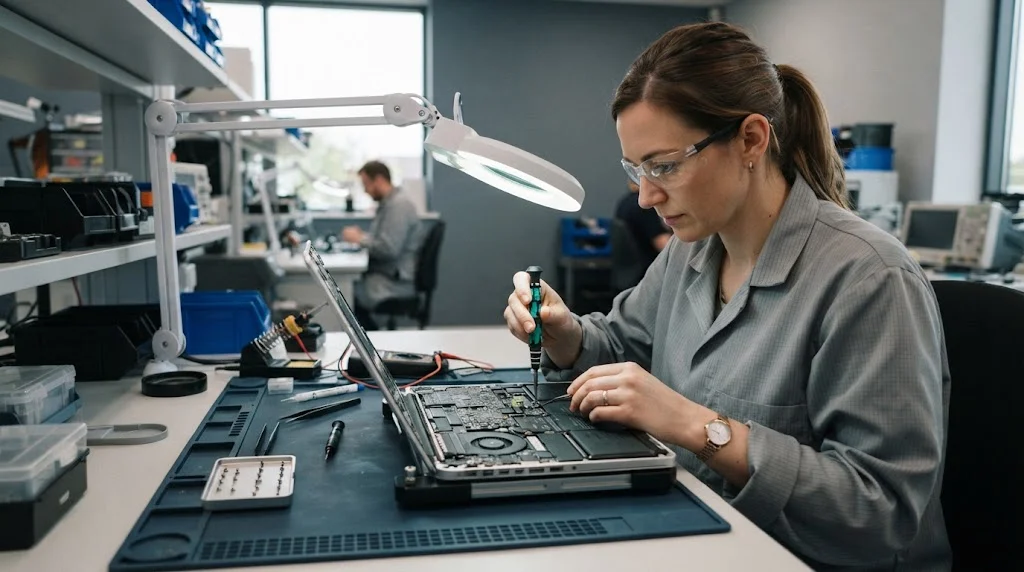
A MacBook that suddenly stops working can bring your day to a halt. Whether you use it for work, university, business, or family life, finding reliable MacBook Repair Abu Dhabi support quickly makes a real difference. The challenge is knowing what is actually wrong, and whether it needs a technician or a simple fix at home.
This guide walks through the most common MacBook problems, how to tell a software issue from a hardware fault, and what to look for when choosing a repair service in Abu Dhabi. It also helps you decide whether repairing or replacing your laptop makes more sense.
MacBook Repair Abu Dhabi: Common Problems You May Face
MacBooks are well built, but daily use, heat, accidents, and ageing components eventually cause trouble. Here are the problems people most often need help with:
- MacBook not turning on or not charging
- Slow performance and frequent freezing
- Battery draining quickly or shutting down unexpectedly
- Overheating and loud fan noise
- Cracked screen, flickering display, or black screen
- Keyboard keys that stick or stop responding
- Trackpad that does not click or move smoothly
- macOS errors, crashes, and failed updates
- Wi-Fi or Bluetooth connection problems
- Liquid damage from spills
Some of these can be tested at home. Others need proper tools and experience, especially anything involving the battery, screen, or logic board. A good MacBook technician in Abu Dhabi will diagnose first and explain the fault before suggesting any repair.
10 Common MacBook Problems That Need Professional Repair
1. MacBook Not Turning On
A MacBook that will not start can have several causes: a drained or failing battery, a faulty charger, a power circuit problem, or a damaged logic board. Before panicking, try a different power outlet and charging cable. If the screen stays black and there is no sound, light, or fan activity, professional diagnosis is the safest next step.
2. MacBook Battery Problems
Batteries wear out with use. If your MacBook drains quickly, shuts down at 30 or 40 percent, or the battery looks swollen, it may need replacement. A swollen battery should never be ignored. Stop using the device and have it checked as soon as possible.
3. Overheating and Fan Noise
Dust buildup, heavy apps, and worn thermal paste can make a MacBook run hot. If the fans stay loud even during light tasks, or the device shuts itself down, a technician can check cooling components and internal cleanliness.
4. Slow Performance
Slowness often comes from low storage, too many startup items, or outdated software. But it can also point to a failing drive or memory-related fault on some models. If simple cleanup does not help, a hardware check is worthwhile.
5. Cracked or Faulty Screen
Impact damage, pressure on a closed lid, or internal display cable issues can cause cracks, dead pixels, or lines across the screen. Even a small crack can spread, so it is better not to wait.
6. Keyboard Problems
Sticky, repeating, or unresponsive keys can be caused by dust, crumbs, liquid, or a failing keyboard component. Depending on the model, keyboard repair can be more involved than it looks because parts may be connected to other internal components.
7. Trackpad Not Clicking or Responding
A trackpad that feels stuck, will not click, or moves erratically may be affected by a swollen battery pressing against it. This is another reason to take physical changes seriously and avoid pushing the trackpad down by force.
8. Charging and Port Issues
If your MacBook charges only at certain angles, shows a charging icon without gaining power, or does not recognise the charger, the cause could be the cable, adapter, charging port, or internal power circuit. Testing with a known working charger helps narrow it down.
9. Wi-Fi and Connectivity Failures
Before blaming the laptop, check your router and try another network. If Wi-Fi or Bluetooth keeps dropping only on your MacBook, it could be a software setting, a macOS issue, or a hardware fault that needs inspection.
10. Liquid Damage
Spills are one of the most serious problems. Switch the MacBook off immediately, unplug it, and do not try to power it on to see if it still works. Corrosion can keep spreading inside even when the device seems fine. Fast professional cleaning and inspection give the best chance of recovery.
MacBook Screen Repair in Abu Dhabi
Display faults are among the most visible problems, and they come in different forms. Each one points to a different possible cause:
- Broken screen: usually caused by impact or pressure. Screen replacement is often needed.
- Flickering display: can come from a loose display cable, a graphics fault, or a software problem.
- Black screen: the MacBook may still be running while the display is not working, or the whole system may be off.
- Lines on the display: often linked to damaged display components or cables.
- Backlight problems: if the image is faintly visible with a flashlight but the screen looks dark, the backlight may be at fault.
Replacement becomes more likely when the panel is physically damaged or shows large dark patches, vertical lines, or ink-like spots. For smaller glitches, a technician can first check cables and settings. If you are looking for MacBook screen repair in Abu Dhabi, ask what exactly is failing before approving a full replacement.
MacBook Battery Replacement in Abu Dhabi
Battery wear is normal, and Abu Dhabi’s hot climate can add stress, especially if the laptop is left in a car or used in direct sunlight. Common signs that your battery may be weak include:
- The battery percentage drops quickly even with light use
- The MacBook shuts down suddenly or only works while plugged in
- The battery health shows a “Service” or reduced status
- The case, trackpad, or keyboard looks lifted or bulging
You can check battery health in macOS settings, and Apple explains how its battery information works on the Apple Support website. If battery health is poor and daily use is affected, replacement is usually worth considering, particularly on a MacBook that otherwise works well.
Helpful resource: Apple Support provides official guidance on MacBook battery and troubleshooting topics.
MacBook Keyboard, Trackpad and Charging Problems
These parts are used constantly, so faults are easy to notice, but harder to judge. A key that stops working could be dirt under the key, a damaged keyboard, or even liquid exposure. A trackpad issue might be software-related, or it might be a battery pushing from below. A charging fault might be as simple as a worn cable or as serious as a damaged power circuit.
This is why diagnosis matters. Replacing the wrong part wastes money and leaves the real problem untouched. A good MacBook technician will test, explain the finding, and only then recommend a repair.
MacBook Software and macOS Problems
Not every problem needs a screwdriver. Software issues are common and often fixable, including:
- Slow startup or long loading times
- Apps that crash or refuse to open
- macOS error messages or a spinning wheel
- Storage almost full
- Updates that fail or freeze halfway
Basic steps that can help include restarting, freeing up storage, updating apps and macOS, and checking which items open at login. If problems continue after these steps, or if they appear together with heat, noise, or sudden shutdowns, hardware diagnosis is the better route.
How to Choose a Reliable MacBook Repair Service in Abu Dhabi
A good repair choice saves time and stress. When comparing options for MacBook repair services in Abu Dhabi, look for:
- Experience with your specific MacBook model, whether it is an Air, a Pro, or an older version
- Proper diagnosis before any repair starts
- Quality replacement parts, with clear information on what is being used
- Transparent pricing that is confirmed before work begins
- A warranty or repair guarantee, with the terms explained clearly
- Respect for data privacy, especially if your laptop holds work or personal files
- Customer reviews that look genuine and recent
- Clear communication about the fault, timing, and options
- Professional, well-equipped technicians
Be cautious of anyone who promises instant fixes without inspecting the device, or who gives a final price without knowing the fault.
Should You Repair or Replace Your MacBook?
Repair is not always the best answer. Think about these factors:
- Age of the MacBook: newer models usually justify repair more easily.
- Type of damage: a battery or screen replacement is different from major logic board damage.
- Repair cost compared with the value of the device or a replacement.
- Battery condition and overall performance after repair.
- Availability of replacement parts, which can be harder for very old models.
- How important the device is to your work or study.
- The data stored on it, and whether it is backed up.
If the repair is modest and the laptop otherwise performs well, repair often makes sense. If the MacBook is very old, slow, and facing an expensive fault, replacing it may be the more sensible choice. A trustworthy technician should be willing to tell you this honestly.
What to Do Before Taking Your MacBook for Repair
- Back up important files using Time Machine, iCloud, or an external drive, if the device still works.
- Write down the problem, including when it started and what happens.
- Check your charger and cables, and bring them along if relevant.
- Note any recent software updates, new apps, or accidents.
- Remove or protect sensitive information where appropriate.
- Ask for a diagnosis and an explanation of the fault.
- Confirm the repair cost and any warranty terms before approving work.
Frequently Asked Questions
How much does MacBook repair cost in Abu Dhabi?
The cost depends on your MacBook model, the fault, the parts needed, and the type of repair. A software fix, battery replacement, and logic board repair all differ. Ask for a diagnosis and a written quote before approving any work.
Where can I get MacBook Repair Abu Dhabi services?
You can find MacBook repair in Abu Dhabi through independent repair shops and service providers. Compare their experience with MacBooks, diagnosis process, warranty, customer reviews, and how clearly they explain the repair.
Can a MacBook with a broken screen be repaired?
In most cases, yes. A cracked or faulty display can usually be replaced, although the exact process depends on the model. A technician should check for other damage caused by the impact.
Is it worth replacing a MacBook battery?
Often yes, especially if the laptop otherwise performs well. A new battery can restore normal daily use. If the MacBook is very old or has other serious faults, weigh the cost against replacing the device.
How long does MacBook repair usually take?
It varies by fault, model, and whether parts are available. Simple issues may be quick, while complex repairs take longer. Ask for an estimated timeframe after diagnosis rather than relying on a general promise.
Can data be recovered from a damaged MacBook?
Sometimes. It depends on whether the storage and related components are still working. If the MacBook has liquid damage or will not start, stop using it and ask a technician about data options as early as possible.
Should I repair an old MacBook or buy a new one?
Compare the repair cost with the laptop’s age, performance, and how much you rely on it. If the fault is minor and the MacBook still works well, repair is reasonable. If it is slow, outdated, and needs costly work, replacement may be better.
Final Thoughts
MacBook problems range from simple software glitches to serious hardware faults, and the right response depends on a correct diagnosis. Whether you are dealing with a weak battery, a damaged screen, or a MacBook that will not start, taking the time to choose a trustworthy provider matters. Good MacBook Repair Abu Dhabi support should explain the issue clearly, confirm the cost, and give you honest advice about repairing or replacing.
If you are unsure where to begin, back up your data, note the symptoms, and ask for a proper diagnosis. A clear understanding of the problem makes every next decision easier.
1 thought on “MacBook Repair Abu Dhabi: 10 Common Problems & Expert Fixes”